B-roll is the short, silent footage of you and your business doing real things: unlocking a front door, sliding a folder across a desk, a crew loading a truck at sunrise. In b-roll for social media, those clips play underneath your voice, your text, or music, so a reel can teach or sell without you staring into the camera the whole time.
For a busy service business owner, that is the big win. One focused hour of b-roll can give you dozens of 3 to 8 second clips, and those clips can be mixed and reused behind new captions and voiceovers for months. This guide explains what b-roll is, what to film, and how it turns into reels.
Key takeaways
- B-roll is supporting footage of your work, your space, and your people, with no one talking to the camera.
- Short clips of real work let you post reels even on weeks you have no time to film.
- The best b-roll comes from a shot list built around your actual workday, not random pretty footage.
- Film each moment several ways (wide, close, and moving) so one shoot fuels many different reels.
What b-roll actually is (and what it is not)
The term comes from film and TV. “A-roll” is the main footage, usually someone talking. “B-roll” is everything that plays on top of it to show what they are talking about. A news anchor describes a storm while you watch footage of rain on a highway. That rain is b-roll.
For a service business, your A-roll is usually a speaking video, where you answer a question face to camera. Your b-roll is the footage that proves you do the work. It is not staged stock footage, it is not a slideshow of photos, and it does not need to be dramatic. It just needs to be real and steady.
Three examples from real service businesses
- A real estate agent: opening a lockbox, flipping on the lights in an empty living room, placing a “Sold” rider on a yard sign, handing over keys.
- A financial advisor: walking into the office with coffee, writing on a whiteboard, turning a printed plan toward a client across the table (with the client’s permission and no account details visible).
- A home services company: a technician pulling on gloves, a close-up of a clean finished install, the crew walking up a driveway with tools.
Why b-roll for social media matters so much for service businesses
Most owners we talk to have the same problem. They know short vertical video works on Instagram, TikTok, Facebook, and YouTube, but they cannot stop their day to film a new talking video every week. B-roll breaks that bottleneck.
Once you have a library of clips, a new reel only needs a new idea. You write a short caption or on-screen text (“3 things we check before every listing photo day”), drop in four or five clips that match, and add music or a quick voiceover recorded on your phone. No hair, no makeup, no reshoots.
B-roll also does something a talking video cannot: it shows. A CPA saying “we keep things organized” is fine. A close-up of labeled client binders lined up on a shelf, followed by a team member checking off a list, makes the point without a word.
15,000+
pieces of content we have created for clients since 2021.
Here is our perspective from that work: the clients who stay consistent are rarely the ones with the fanciest footage. They are the ones with a deep library of ordinary, real clips that can be reused behind fresh messages. It is a big part of how we have never missed a post for a client since 2021. When Ashley and Avery were growing their own cleaning company, it took about six months of steady posting before social media brought in leads regularly, and steady posting is much easier when the footage already exists.
A b-roll shot list you can use this week
Good b-roll follows your real workday from start to finish. Use the list below as a starting point and cross off anything that does not fit your business. If you are planning a full shoot, pair it with our brand photo shoot checklist so photos, speaking videos, and b-roll all get covered in one session.
- Arrivals: pulling into the parking lot, unlocking the office door, a branded vehicle pulling up to a job.
- Hands at work: typing, writing notes, measuring, adjusting equipment, sorting paperwork.
- Tools and details: your logo on a mug or shirt, the tools of your trade, a finished product or project up close.
- People together: a team huddle, a handshake, two coworkers laughing at a desk, a front desk greeting.
- Your space: a slow walk through the office, a view out the window, signage, a tidy waiting area.
- Before and after: a messy space, then the clean result; a blank whiteboard, then a finished plan.
- Transitions: a door opening or closing, a hand moving toward the lens, a laptop lid shutting at the end of the day.
Film every moment three ways
Grab a wide shot that shows the whole scene, a close shot of hands or details, and one slow moving shot (walking toward the subject or panning across it). Three versions of the same moment can appear in three different reels without looking repeated.
Keep each clip rolling for at least 10 seconds, even if you only plan to use 3 of them. It gives you room to trim the start and end, where hands are usually reaching for the record button. Film vertically for reels, and hold the camera still or rest it on something steady.


How b-roll turns into reels: a simple process
Here is how a pile of clips becomes a month of posts. This works whether you edit yourself or hand the footage to a team.
01
Sort clips into folders by theme
For example: “office,” “on the job,” “team,” “details,” and “before and after.” This makes it fast to find the right footage later.
02
Write the message first
Start with one idea for the reel, such as “What happens at your first meeting with us.” Then pick the clips that show it.
03
Choose four to six clips
Open with your most eye-catching moment, then follow the order of the story you are telling.
04
Add words
Use on-screen text, a short voiceover recorded on your phone, or both. Keep the text large and easy to read on a small screen.
05
End with one next step
“Send us a message,” “Book a consult,” or “Save this for later.” Just one.
06
Track what you used
Keep a simple note of which clips went into which reel so you can rotate footage instead of repeating the same opening shot every week.
Here is a sample for a wellness practice. On-screen text: “What to expect at your first visit.” Clips: the front door opening, a staff member smiling at the front desk, a close-up of a clean treatment room, a provider washing their hands, a calm hallway. Caption: “New here? Here is what your first visit looks like. Message us with any questions.” Keep patients out of frame unless they have given written consent, and follow your own privacy and compliance rules.
Shooting “pretty” footage with no story
Slow pans of plants and coffee cups look nice but say nothing about what you do. Before you film, ask what each clip proves to a customer. If the answer is “nothing,” swap it for a shot of real work.
DIY b-roll vs. a planned content shoot
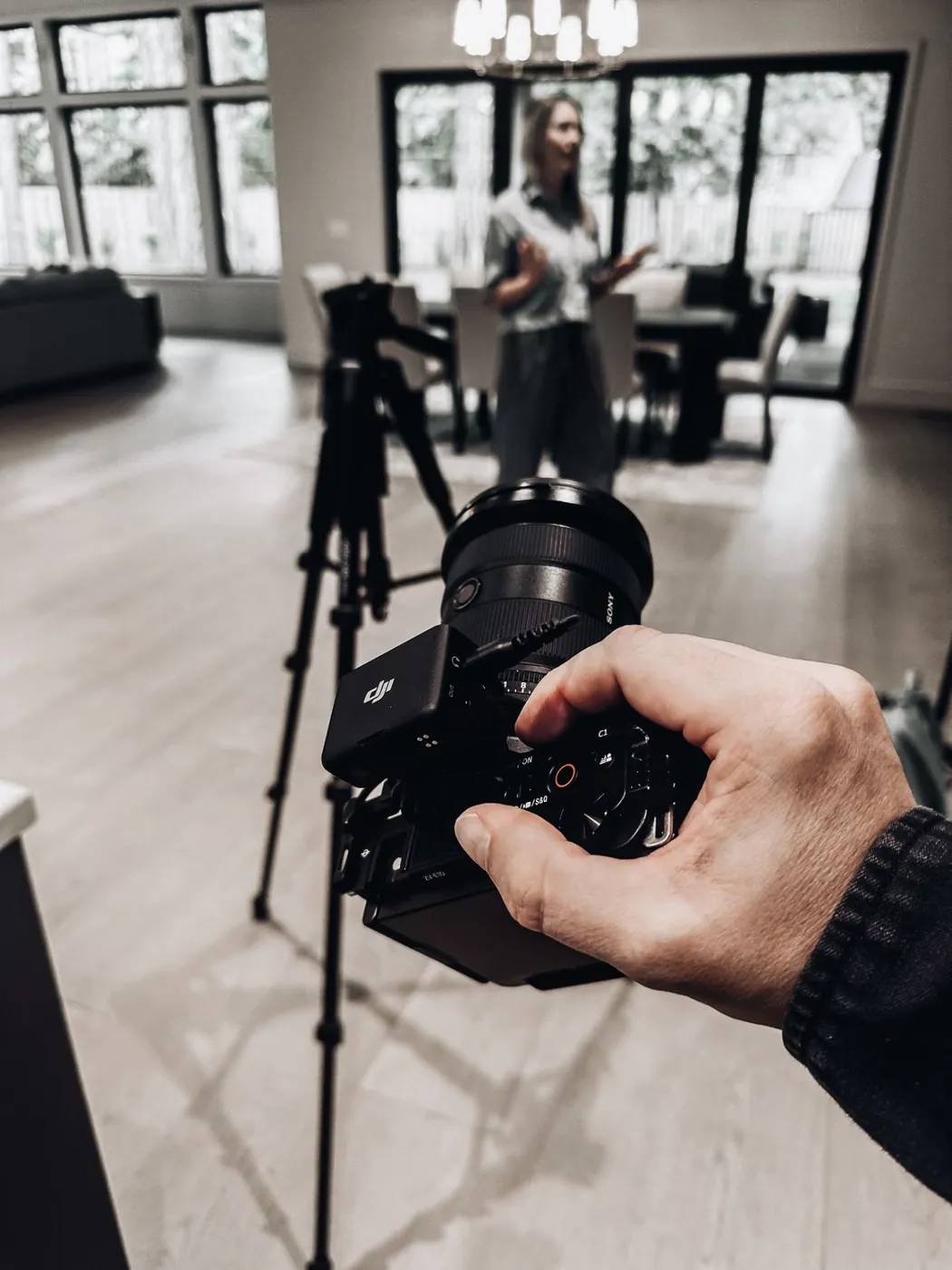
You can absolutely start with your phone. Ask a team member to film you for 20 minutes during a normal workday, using the shot list above. It is a great way to learn what kinds of clips you actually use.
The limit is time and consistency. Most owners film once, get busy, and never film again. A planned brand photo and video content shoot solves that by capturing photos, b-roll, and speaking videos in a single 1 to 2 hour session at your business or another location that fits your brand. You get a library of real footage, and the clips are ready to fuel your feed instead of sitting on your phone.
Frequently asked questions
Do I need to be in my b-roll?
Not in every clip, but you should be in some of them. People hire people, so a mix of your hands at work, your team, and a few shots of your face builds more trust than footage of your space alone.
How long should each b-roll clip be?
Film at least 10 seconds per clip so you have room to trim, then use about 2 to 4 seconds of it in a reel. Quick cuts between several short clips keep viewers watching.
Can I reuse the same b-roll in more than one reel?
Yes. That is the whole point. Pair the same clips with a new message, new on-screen text, or a different order, and rotate them so the same opening shot does not lead every post.
Is b-roll useful outside of social media?
It is. Short clips work on your Google Business Profile, behind a video on your website, and in a quick video you text to a prospect who asked a question.
The bottom line
B-roll for social media is the quiet workhorse behind consistent reels. Film your real workday in short, steady clips, shoot each moment a few ways, and reuse that library behind fresh messages. If you would rather have it planned and filmed for you in one session, book a free strategy call with us, or take the free social media audit to see where your content stands today.